
For anyone beginning their journey into the world of software development, the most critical question is often: 'What machine should I use?' Since you'll spend more than half your day staring at a screen filled with lines of code, the right gear is essential. If hardware limitations or OS quirks break your flow, it can be incredibly discouraging.
The debate between Windows and MacBook is a classic topic in tech communities. Simply picking a laptop for its looks or because it can run games could lead to frustration when setting up your development environment. In this post, we will explore the philosophical differences between operating systems, the latest hardware architectures, and the best choices for specific development tracks to help you make an informed decision.
1. OS Philosophy: Unix-based vs. Windows Kernel
For developers, the choice of OS is more than just preference; it's about the ecosystem.
macOS Strengths: macOS is built on a Unix-based foundation. This means it provides a terminal environment very similar to the Linux servers where most applications eventually run. With package managers like Homebrew, you can install complex dev tools with a single command. The consistency between local and production environments makes macOS a terminal-friendly powerhouse.
Windows Evolution: While Windows used to be cumbersome for Linux-based development, WSL2 (Windows Subsystem for Linux 2) has changed everything. You can now run a real Linux kernel inside Windows, enjoying the best of both worlds. Furthermore, as the world's most popular OS, its overall software support remains unmatched.
"A coding laptop is not just a consumer product; it's a capital asset that defines your productivity. Your OS choice is the first sentence you write to communicate with the world."
2. Hardware Architecture: Apple Silicon vs. Intel/AMD
Processor technology has reached a massive turning point in recent years.
Architecture Comparison
-
Apple Silicon (M1/M2/M3)
An ARM-based System on a Chip (SoC) that offers incredible efficiency. It handles heavy compilation without fan noise and allows for all-day coding on a single charge. -
x86 (Intel Core / AMD Ryzen)
The traditional high-performance architecture. It remains superior for virtualization solutions and complex game engines. Combined with NVIDIA GPUs, it is the leader in Machine Learning and 3D Development.
3. Display and Readability: Investing in Your Vision
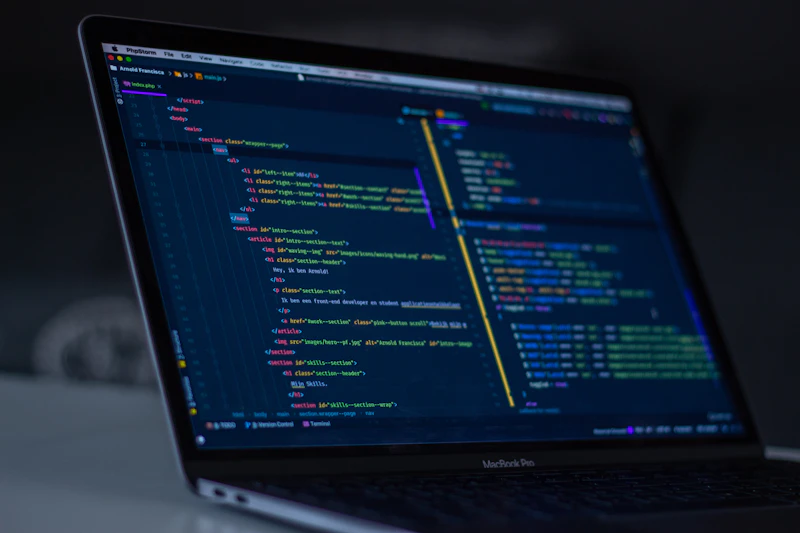
Coding involves reading and writing text for hours on end. Therefore, display quality is just as important as raw speed.
Apple's Retina displays offer smooth font rendering that reduces eye strain. The P3 color gamut support is particularly useful for frontend developers and designers who require color accuracy.
On the other hand, modern Windows laptops often feature OLED panels or high-refresh rates for fluid movement. Note that Windows' ClearType rendering differs from macOS's anti-aliasing; you may want to check the Official Microsoft Support for font optimization settings to improve readability.
4. Choosing by Field: Which Development Path?
Your choice depends heavily on what you plan to build.
Web Development (Frontend/Backend)
The MacBook Air is highly recommended. It's silent, portable, and has plenty of power for VS Code and Docker. If you prefer Windows, the Dell XPS or high-end Surface models are excellent alternatives.
Mobile App Dev (iOS/Android)
If you want to build for iPhone, Mac is your only choice as Xcode only runs on macOS. For Android dev, we recommend a MacBook Pro with at least 16GB RAM for emulator performance.
Game Dev & Graphics
For Unity or Unreal Engine, a Windows Gaming Laptop with an RTX GPU is the way to go. Windows offers far superior hardware acceleration and library compatibility for these tasks.
Data Science & AI
While beginners can use cloud tools like Colab, local training requires a high-performance Windows workstation with a dedicated GPU. For general preprocessing, either OS works well.
5. Essential Hardware Checklist for Beginners
Once you've chosen a brand, you need to pick the specs. Here are the non-negotiable standards for 2026.
- RAM: Minimum 16GB. 8GB is for casual web browsing, not coding. Between IDEs, browser tabs, and local servers, 16GB is required for a smooth multitasking experience.
- SSD: Minimum 512GB. Dev environments and libraries (like node_modules) take up massive space. You'll fill up 256GB in no time. 512GB ensures you won't need to carry an external drive everywhere.
- Ports & Connectivity: Modern laptops are getting thinner and losing ports. Check if you'll need a dongle for your monitors or peripherals.
Final Thoughts: Tools Are Just the Beginning
The debate between MacBook and Windows often comes down to comfort and familiarity. MacBooks provide a stable Unix environment and premium build quality but come at a higher price. Windows offers raw power and versatility at a better value, though OS updates can sometimes be intrusive.
Remember: a great developer isn't defined by their tools, but a great tool allows a beginner to focus on learning instead of troubleshooting. Choose the partner that fits your budget and goals. FreeImgFix.com is here to support your journey into code!
The right equipment accelerates your growth as a developer!